NADCON for Google Earth (NADGE)
This page describes a free application that runs in the Google Earth desktop client. Please install Google Earth, download NADGE, and return to this page to learn more.
NADGE is a graphical front end for the NGS online tool, NADCON, that facilitates the entry of geodetic coordinates and displays the converted coordinates and datum shift in a placemark balloon. Both NAD83-to-NAD27 and NAD27-to-NAD83 coordinate conversions are supported.
- Position the point of interest (POI) in the center of the view. One way to do this is to double-click an unmarked location. To precisely position the POI in the center of the view, add a placemark at the desired location; then edit the properties of that placemark and reset the view (explain). For best results, disable automatic tilting (Tools, Options, Navigation, Do not automatically tilt while zooming) and minimize elevation exaggeration (Tools, Options, 3D View, Elevation Exaggeration, 0.01).
- Check the box beside the Coordinate Conversion network link. A form will be presented with input fields for geodetic coordinates and datum. Initial coordinate values correspond to the view center. Converted coordinates and datum shift are displayed when the Convert button is pressed.
- On subsequent uses, reposition the POI and ensure that the network link is checked and selected. Then choose Refresh from the Edit menu, or right-click and select Refresh in the context menu (explain).
 |
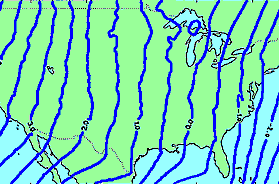 |
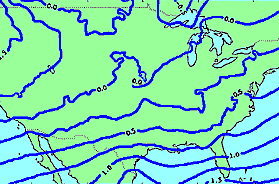
Image NGS
Coverage includes the conterminous United States, Alaska, Hawaii, Puerto Rico, and the Virgin Islands. Check the Extents folder to display the coverage area bounding boxes.
Note: To save NADGE results from one Google Earth session to another, right-click on Saved Placemarks and select Save to My Places or Save Place As.
All data are retrieved from remote servers. Data errors, accuracy, and availability are beyond the control of this application.