Position POI in Center of View
All Earth Survey tools that require point input use the center of the 3D viewer. For best results, disable automatic tilting (Tools, Options, Navigation, Do not automatically tilt while zooming) and minimize elevation exaggeration (Tools, Options, 3D View, Elevation Exaggeration, 0.01).To position the point of interest (POI) in the center of the view, add a placemark at the desired location, and then
1. Edit the placemark.
- Right-click on the placemark.
- Select Properties (Get Info on a Mac).

2. Reset the view.
- Click on the View tab.
- Press the Reset button.
- Press the OK button.
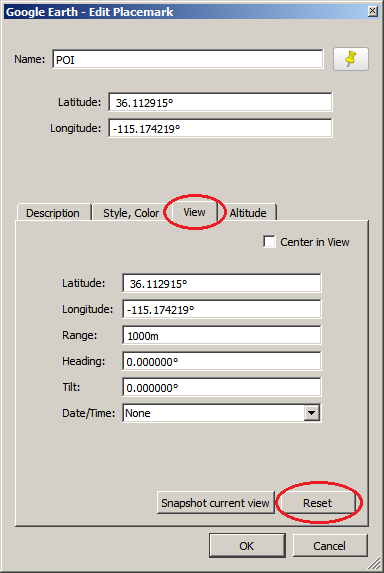
Note that Center in View is not checked. Note also that Tilt is 0.00°.
See also: Create & manage placemarks