USGS Quadrangles (QUADS)

This page describes a free application that runs in Google Earth version 4.3 or later. Please install Google Earth, download QUADS, and return to this page to learn more.

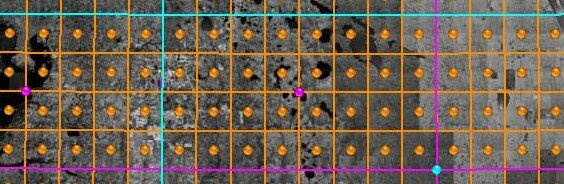
The principal component of QUADS is a Google Earth network link that plots the approximate boundaries of more than 84,000 USGS quadrangles (Fig. 1). For each of these quadrangles, GeoPDF maps may be freely obtained from the USGS Store. All quadrangle balloons contain name, state, extent, date, and file size information with a link to the corresponding GeoPDF map. See also USGS Maps and Topographic Map Symbols.

  1. Position the area of interest (AOI) in the viewer.
  2. Check the box beside the Search Results network link to display quadrangle placemarks and boundaries.
  3. On subsequent uses, reposition the AOI and ensure that the network link is checked and selected. When Refresh Mode is Automatic, search results are refreshed two seconds after camera movement stops. When Refresh Mode is Manual, choose Refresh from the Edit menu, or right-click and select Refresh in the context menu.
Quadrangles are categorized by GeoPDF designation and collected in subfolders. Coverage includes the conterminous United States, Hawaii, Alaska, Puerto Rico, the US Virgin Islands, and portions of Antarctica.


© 2010 Google - Image USGS

Figure 1. USGS Quadrangles

All quadrangle boundaries, balloon information, and linked content are supplied by the USGS. Data errors, accuracy, and availability are beyond the control of this application.

QUADS also includes USGS, or USGS-derived, overlays for grayscale and color shaded relief maps, topographic-bathymetric maps, black-and-white orthophotos, and urban areas color orthoimagery.

USGS Topographic Quadrangles

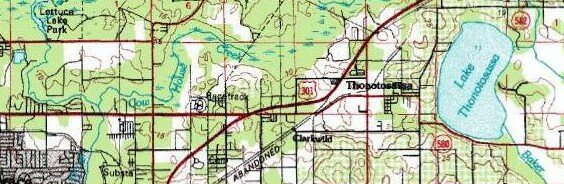
The TopoMaps network link retrieves multiresolution images of USGS topo maps (Fig. 2) from TerraServer-USA. See also Topographic Map Symbols.
  1. Position the area of interest (AOI) in the viewer.
  2. Check the radio button beside the TopoMaps network link.
  3. On subsequent uses, reposition the AOI and ensure that the network link is checked and selected. When Refresh Mode is Automatic, the overlay is refreshed two seconds after camera movement stops. When Refresh Mode is Manual, choose Refresh from the Edit menu, or right-click and select Refresh in the context menu.
West longitudes from 60 to 170 degrees and North latitudes from 15 to 75 degrees are supported. Target resolution cannot be less than 2 meters per pixel. Check the TerraServer subfolder of Extents to display the coverage area bounding box.


© 2010 Google - Image USGS

Figure 2. USGS Topographic Quadrangles


USGS Orthophoto Quadrangles

The Orthophotos network link retrieves multiresolution images of USGS orthophotos (Fig. 3) from TerraServer-USA.
  1. Position the area of interest (AOI) in the viewer.
  2. Check the radio button beside the Orthophotos network link.
  3. On subsequent uses, reposition the AOI and ensure that the network link is checked and selected. When Refresh Mode is Automatic, the overlay is refreshed two seconds after camera movement stops. When Refresh Mode is Manual, choose Refresh from the Edit menu, or right-click and select Refresh in the context menu.
West longitudes from 60 to 170 degrees and North latitudes from 15 to 75 degrees are supported. Target resolution cannot be less than 1 meter per pixel. Check the TerraServer subfolder of Extents to display the coverage area bounding box.


© 2010 Google - Image USGS

Figure 3. USGS Orthophoto Quadrangles


USGS Urban Areas Orthoimagery

The UrbanAreas network link retrieves multiresolution images of USGS orthoimagery for selected urban areas (Fig. 4) from TerraServer-USA.
  1. Position the area of interest (AOI) in the viewer.
  2. Check the radio button beside the UrbanAreas network link.
  3. On subsequent uses, reposition the AOI and ensure that the network link is checked and selected. When Refresh Mode is Automatic, the overlay is refreshed two seconds after camera movement stops. When Refresh Mode is Manual, choose Refresh from the Edit menu, or right-click and select Refresh in the context menu.
West longitudes from 60 to 170 degrees and North latitudes from 15 to 75 degrees are supported. Target resolution cannot be less than 0.25 meters per pixel. Check the TerraServer subfolder of Extents to display the coverage area bounding box.


© 2010 Google - Image USGS

Figure 4. USGS Urban Areas Orthoimagery


National Elevation Dataset Grayscale Relief

The GrayRelief network link retrieves multiresolution images of the 10-meter National Elevation Dataset (NED) (Fig. 5) from the USGS EROS Support Server.
  1. Position the area of interest (AOI) in the viewer.
  2. Check the radio button beside the GrayRelief network link.
  3. On subsequent uses, reposition the AOI and ensure that the network link is checked and selected. When Refresh Mode is Automatic, the overlay is refreshed two seconds after camera movement stops. When Refresh Mode is Manual, choose Refresh from the Edit menu, or right-click and select Refresh in the context menu.
Coverage includes the conterminous United States, Hawaii, portions of Alaska, American Samoa, Guam, and other US territorial islands. Check the USGS NED subfolder of Extents to display the coverage area bounding boxes.


© 2010 Google - Image USGS

Figure 5. National Elevation Dataset Grayscale Relief


National Atlas Color Relief

The ColorRelief network link retrieves multiresolution images of the 200-meter National Atlas (Fig. 6) from the USGS EROS Support Server.
  1. Position the area of interest (AOI) in the viewer.
  2. Check the radio button beside the ColorRelief network link.
  3. On subsequent uses, reposition the AOI and ensure that the network link is checked and selected. When Refresh Mode is Automatic, the overlay is refreshed two seconds after camera movement stops. When Refresh Mode is Manual, choose Refresh from the Edit menu, or right-click and select Refresh in the context menu.
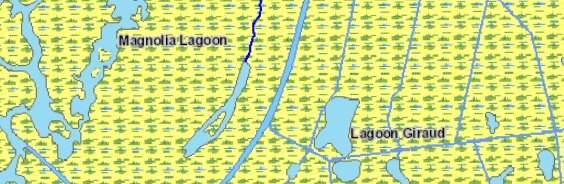
Coverage includes the conterminous United States, Hawaii, Alaska, Puerto Rico, and the US Virgin Islands. Check the NationalAtlas subfolder of Extents to display the coverage area bounding box.


© 2010 Google - Image National Atlas

Figure 6. National Atlas Color Relief

All images are retrieved from remote servers. Data errors, accuracy, and availability are beyond the control of this application.

QUADS is a component of Earth Survey
© 2007-2010 Metzger & Willard, Inc.

Download QUADS
Download White Paper
Download Publication Comments/Questions

 
  Copyright © 2010, MWI  

MWI Home Page MWI Home Page Contact Us About MWI MWI Services MWI Careers